Calendar
Planning and managing deadlines has never been easier thanks to intuitive calendars.

Speci Work planning
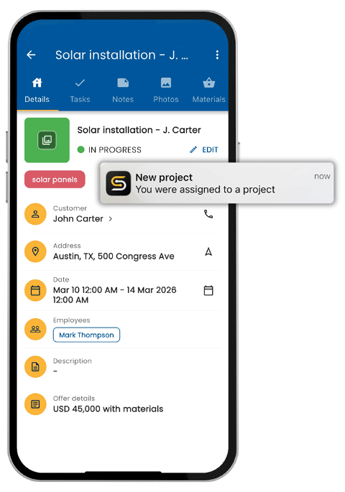
Set dates in the calendar and assign work to employees and subcontractors. Keep tasks, purchases and recorded working hours with the right job.
Watch the video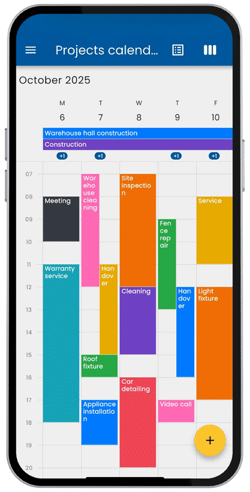
How it works
Add a job and set its start and finish dates.
Assign tasks to employees or subcontractors.
Check completed tasks and record working hours.
Update purchases and prepare a summary of costs and time.
See it in the app
The calendar shows dates, tasks define the work, and documentation and recorded hours help you review progress.
Planning and managing deadlines has never been easier thanks to intuitive calendars.
Manage tasks in your company more easily than ever before with Speci. Assign, monitor, and control work progress in one intuitive module that increases efficiency and saves your time.
Assign projects and tasks, and send project documentation conveniently from the office straight to your employees' mobile apps.
Keep shopping lists with each job. The team knows which materials are needed and purchases can be included in the final summary.
Record time spent on tasks and use it when settling completed work.
Settle a project with a printed summary or invoice without any additional tools.
Tutorial videos
The calendar shows dates, tasks define the work, and documentation and recorded hours help you review progress.
See how Speci works