On-site repair
Separate the reported problem from the technician’s actions. Leave a clear account of the outcome.

Speci Service and maintenance
Keep the reported issue, technician assignment and visit documentation together. The team knows earlier decisions, the office can review field updates and the next visit starts with context.
Watch the video
How it works
Record the symptom and customer instructions, assign a technician and add work notes and photos after the visit. When someone returns, they start from the available history instead of reconstructing earlier conversations.
Record the problem and customer information.
Assign a worker and tasks.
Add actions, photos and open questions.
Review earlier decisions before returning.
See it in the app
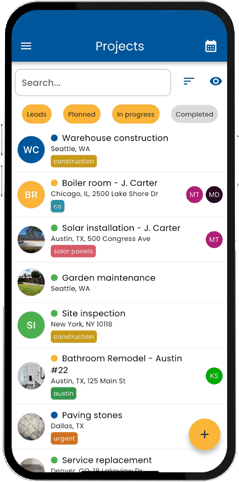
If a note refers to a particular piece of equipment, include its identifier in the description. Photos and notes explain earlier work and help prepare the next visit. The team sets the next action and date.
In everyday work
Separate the reported problem from the technician’s actions. Leave a clear account of the outcome.
Prepare visit tasks and keep work notes with the job. The next worker can return to that record.
Hand over history and outstanding tasks with the job, rather than relying on someone’s memory.
Tutorial videos
See how Speci can make project management easier for you. We have prepared short tutorial videos showing everything with practical examples.
See how Speci works